Download
Download the asciidoc backend
Install as any other plugins:
$ asciidoc --backend install bootstrap-<version>.zip
<version> is to be replaced by the latest version available of the backend.The Asciidoc bootstrap backend standard version (3.0.1) included :
-
version 2.3.2 (
themes/2) and 3.0.1 (themes/3) of the default theme from Bootswatch template provider. -
version 2.3.2 (
bootstrap/2) and 3.0.1 (bootstrap/3) of Bootstrap.
You can download additional themes AsciiDoc-Bootstrap backend 3.0 ready.
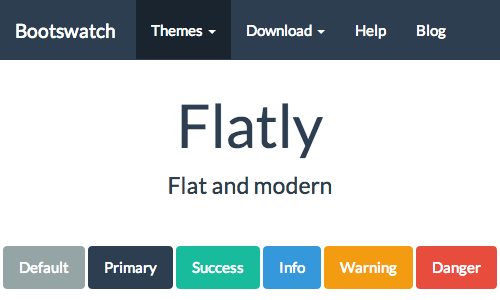
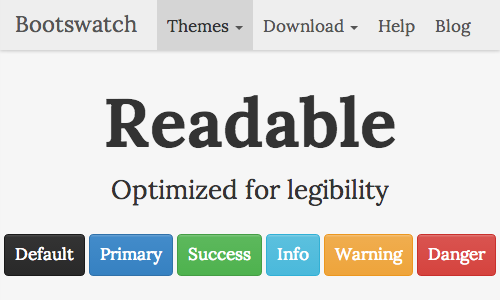
Extract archive contents in themes/2/ or themes/3/ folder of the backend distribution.
File structure
When you will installed the asciidoc bootstrap backend, you will find the following file structure and contents.
 bootstrap/
  ├── bootstrap/
  │   ├── 2/
  │   │   ├── css/
  │   │   ├── js/
  │   │   └── img/
  │   └── 3/
  │       ├── css/
  │       ├── js/
  │       └── fonts/
  ├── docs/
  ├── examples/
  ├── images/
  │   ├── icons/
  │   │   ├── apple-touch-icon-57-precomposed.png
  │   │   ├── apple-touch-icon-72-precomposed.png
  │   │   ├── apple-touch-icon-114-precomposed.png
  │   │   ├── apple-touch-icon-144-precomposed.png
  │   │   ├── ui.totop.png
  │   │   └── favicon.ico
  ├── javascripts/
  │   ├── asciidoc.js
  │   ├── jquery.min.js
  │   └── jquery.ui.totop.min.js
  ├── stylesheets/
  │   ├── asciidoc-bootstrap.css
  │   ├── ui.totop.css
  │   └── pygments.css
  └── themes
      ├── 2/
      │   ├── img/
      │   └── default/
      │       ├── bootstrap.css
      │       ├── bootstrap.min.css
      │       ├── default.css
      │       ├── default.js
      │       └── user.css
      └── 3/
          ├── fonts/
          └── default/
              ├── bootstrap.css
              ├── bootstrap.min.css
              ├── default.css
              ├── default.js
              └── user.css
Attributes
Specifics bootstrap backend attributes
| Name | Description |
|---|---|
| bootstrapdir | The name of the directory containing the boostrap compiled version resources. |
| sidebar | The TOC can be place on a sidebar on left (default value) or right of the main document body. |
| brand | A simple link to show your brand or project name |
| brandref | A link to the main page of your project. By default it’s a simple anchor # |
| brandver | Control display of a dynamic versions list of your project. |
| navinfo, navinfo1, navinfo2 | Control which navigation information files will be included in the output file. |
| footer | Control which footer informations will be included in the output file. |
| totop | Control which back to top system you want to include in the output file. |
| jumbotron | Enhance the title of the document. |
| jumbotron-fullwidth | Enhance the title of the document with a full width jumbotron in all resolution. |
| navbar | Define the style of navigation bar: default (default value), fixed or static. |
| navbar-inverse | Inverted variation of the basic navbar. |
Your own theme
The AsciiDoc theme attribute is used to select an alternative CSS stylesheet
and to optionally include additional JavaScript code.
-
Theme files are located by default (in the distribution) from the configuration directory named
themes/<bsver>/<theme>/(where<theme>is the the theme name set by the theme attribute, and<bsver>identify the major Bootstrap version (2 or 3). -
The
<theme>.cssfile replaces some declarations from the standard (bootswatch) theme. -
The
user.cssempty file is available for you to make your own changes. -
The
<theme>.jsfile is included in addition to the defaultasciidoc.jsJavaScript file.
What is next?
Head to the docs sections for more information and examples.
Base CSS
Bootstrap Docs Base CSS examples
Text Formatting
Words and phrases can be formatted by enclosing inline text with quote characters.
Delimited Blocks
Delimited blocks are blocks of text enveloped by leading and trailing delimiter lines
Paragraphs
Paragraphs are blocks of text terminated by a blank line, the end of file, or the start of a delimited block or a list. There are three paragraph syntaxes: normal, indented (literal) and admonition which are rendered, by default, with the corresponding paragraph style.
Document Structure
AsciiDoc has two mechanisms for optionally including additional meta-data in the header of the output document.
Like the docinfo attribute, bootstrap backend add support to dropdowns
navigation bar with to new navinfo attribute.
Macros
Macros are a mechanism for substituting parametrized text into output documents.
Macros have a name, a single target argument and an attribute list.
Inline Macros occur in an inline element context. Predefined Inline macros include image and link macros.
About this document
How to build the source code
[https://raw.github.com/llaville/asciidoc-bootstrap-backend/master/docs/getting-started.asciidoc]
.